
JavaScript scripting
Beyond plain SQL, a Query tab can run JavaScript against your live
connection. Toggle the editor into script mode and write JS that queries
the database with await db.query(...), loops, branches, and logs —
useful for per-row work, small migrations, and quick data munging that’s
awkward in a single statement.
Scripting works on SQL engines (PostgreSQL / MySQL / SQLite) and
MongoDB. On SQL, db.query(...) takes SQL; on MongoDB it takes a
mongo-shell command string (db.coll.find({…})). The toggle is hidden for
Redis.
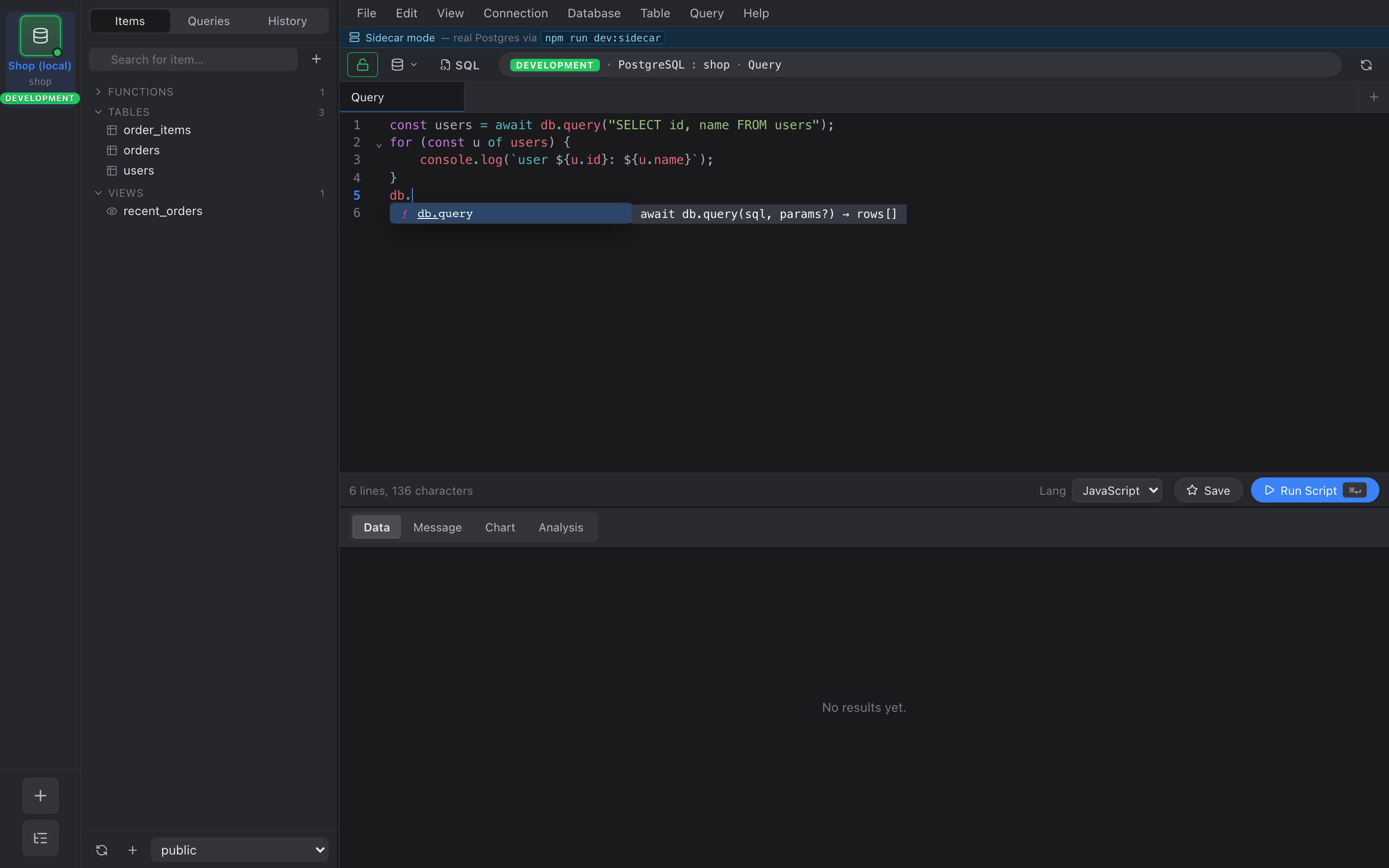
Switch a tab to scripting with the Lang picker in the editor toolbar
(SQL → JavaScript); the run button becomes Run Script. console.log
output appears in the Console strip below the results grid.
Writing a script
Section titled “Writing a script”// Query returns an array of row objects.const users = await db.query("SELECT id, email FROM users LIMIT 10");
for (const u of users) { // Per-row work, branching, anything JS can do. if (u.email.endsWith("@example.com")) { console.log(`internal user: ${u.id}`); }}
// The last query's result (or a value you return) shows in the Data grid.return users;await db.query(sql, params?)runs a query and resolves to an array of row objects ({ column: value, … }).console.log(...)output is captured and shown in the Console strip below the grid, in execution order.- The returned value (or the last
db.queryresult if you don’t return one) renders in the Data grid, exactly like a normal query.
MongoDB
Section titled “MongoDB”On a MongoDB connection, db.query(...) takes a mongo-shell command
instead of SQL — the same syntax the Query tab accepts (find, aggregate,
insertOne, updateMany, …). The result is still an array of documents you
can iterate:
const active = await db.query('db.users.find({ active: true })');for (const u of active) { console.log(u.name);}return active;Parameters are baked into the command object itself (there is no $1
placeholder binding for Mongo); build the filter/pipeline in the command
string.
Parameters — always use db.query(sql, params)
Section titled “Parameters — always use db.query(sql, params)”Pass values as positional parameters ($1, $2, …) — they are
bound by the driver, never string-interpolated, so there’s no SQL
injection risk:
const email = "alice@example.com";const rows = await db.query( "SELECT * FROM users WHERE email = $1", [email],);Do not build SQL by concatenating values into the string. Use params.
Stopping a script
Section titled “Stopping a script”A running script can be stopped two ways:
- Cancel — click the Cancel button (it replaces Run while a script is running). The engine stops at the next step.
- Timeout — scripts have a wall-clock timeout (30 seconds by
default). A runaway loop such as
while (true) {}is torn down automatically and the tab shows a “script timed out” error, so the app can’t hang.
What a script can and can’t do
Section titled “What a script can and can’t do”- ✅ Query the database (
db.query), loop, branch,console.log. - ❌ No filesystem, network, or
require/import— the sandbox exposes onlydbandconsole. Scripts can’t reach anything outside the database connection. - Guards cap total rows and total queries per run, so an accidental unbounded loop terminates rather than exhausting memory.