
Roles & grants
The Roles tab is a two-pane view: a list of pg_roles on the
left and a grant matrix for the selected role on the right.
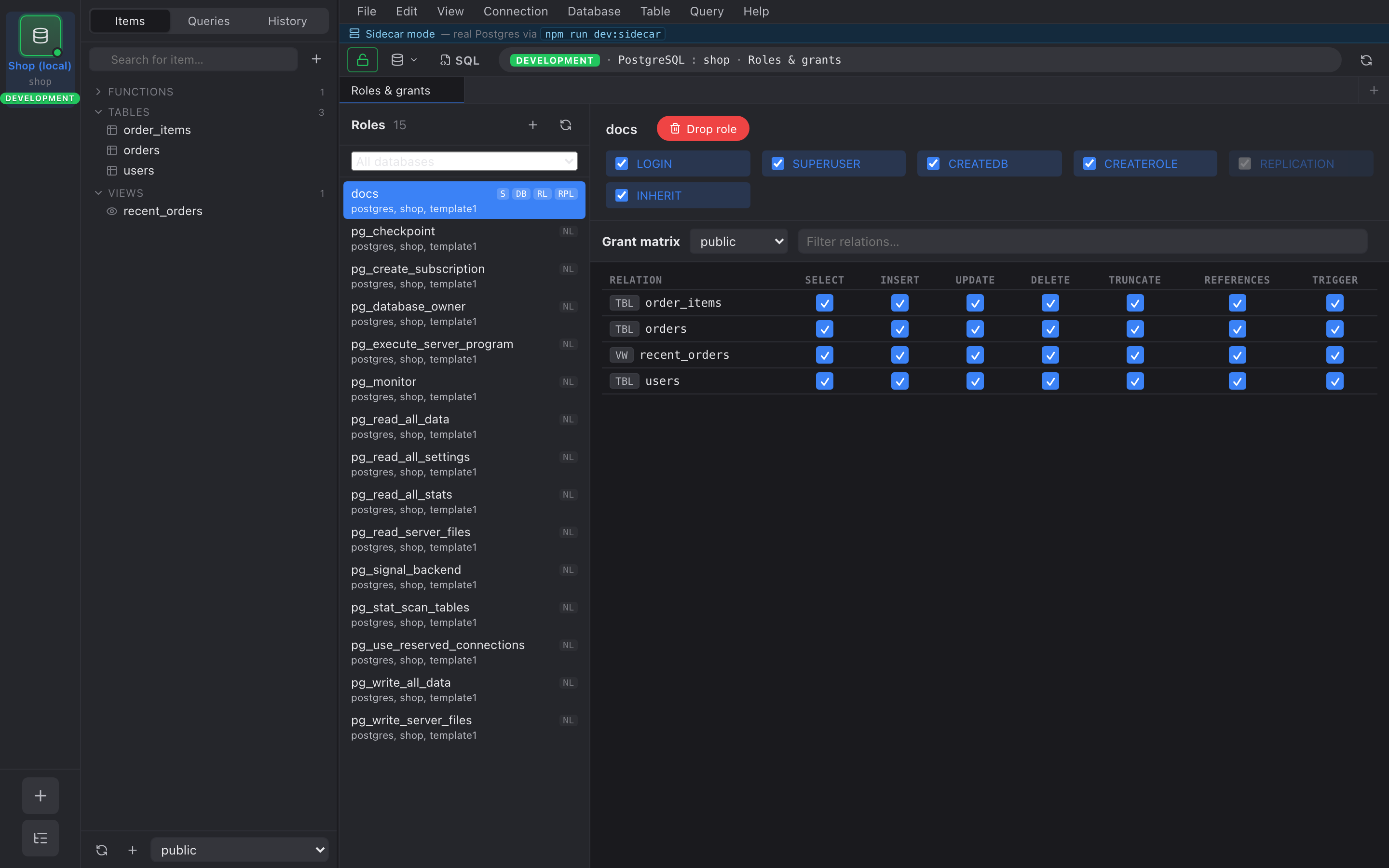
Role list
Section titled “Role list”Nembrix reads pg_roles and renders one row per role,
including the standard attributes — superuser, inherit,
createrole, createdb, login, replication,
connection limit, valid until. Click a column header to sort.
Under each role name is the list of databases it can connect
to. Nembrix determines this with
has_database_privilege(role, database, 'CONNECT') rather than
reading ACLs directly, so implicit access — superusers, PUBLIC
grants, and access inherited through role membership — is
reflected correctly. Databases with datallowconn = false are
excluded. A role with no connectable database shows no database
access.
Filter by database
Section titled “Filter by database”A dropdown at the top of the list narrows it to the roles that
can connect to a chosen database. Pick All databases to clear
the filter. While a filter is active the header count shows
matching/total so you can see how many roles were hidden.
The grant tree
Section titled “The grant tree”Click a role and the right pane fills with a tree:
databases └─ schemas └─ relations └─ privileges (SELECT, INSERT, UPDATE, DELETE, TRUNCATE, REFERENCES, TRIGGER)Each privilege has a checkbox. Checked means the role currently holds that privilege (either directly or via a group it inherits from — inherited grants are marked with a light dot to distinguish them).
Staging GRANT and REVOKE
Section titled “Staging GRANT and REVOKE”Toggle a checkbox and the change is queued, not applied. Queued grants show up green, queued revokes show up red, and a banner at the top of the pane keeps a running count.
When you click Apply, Nembrix runs every queued change in a single transaction:
BEGIN;GRANT SELECT ON "public"."users" TO "analytics";REVOKE INSERT ON "public"."events" FROM "analytics";…COMMIT;If anything fails, the whole transaction rolls back and the queue stays intact so you can fix and retry.