
Keyboard shortcuts
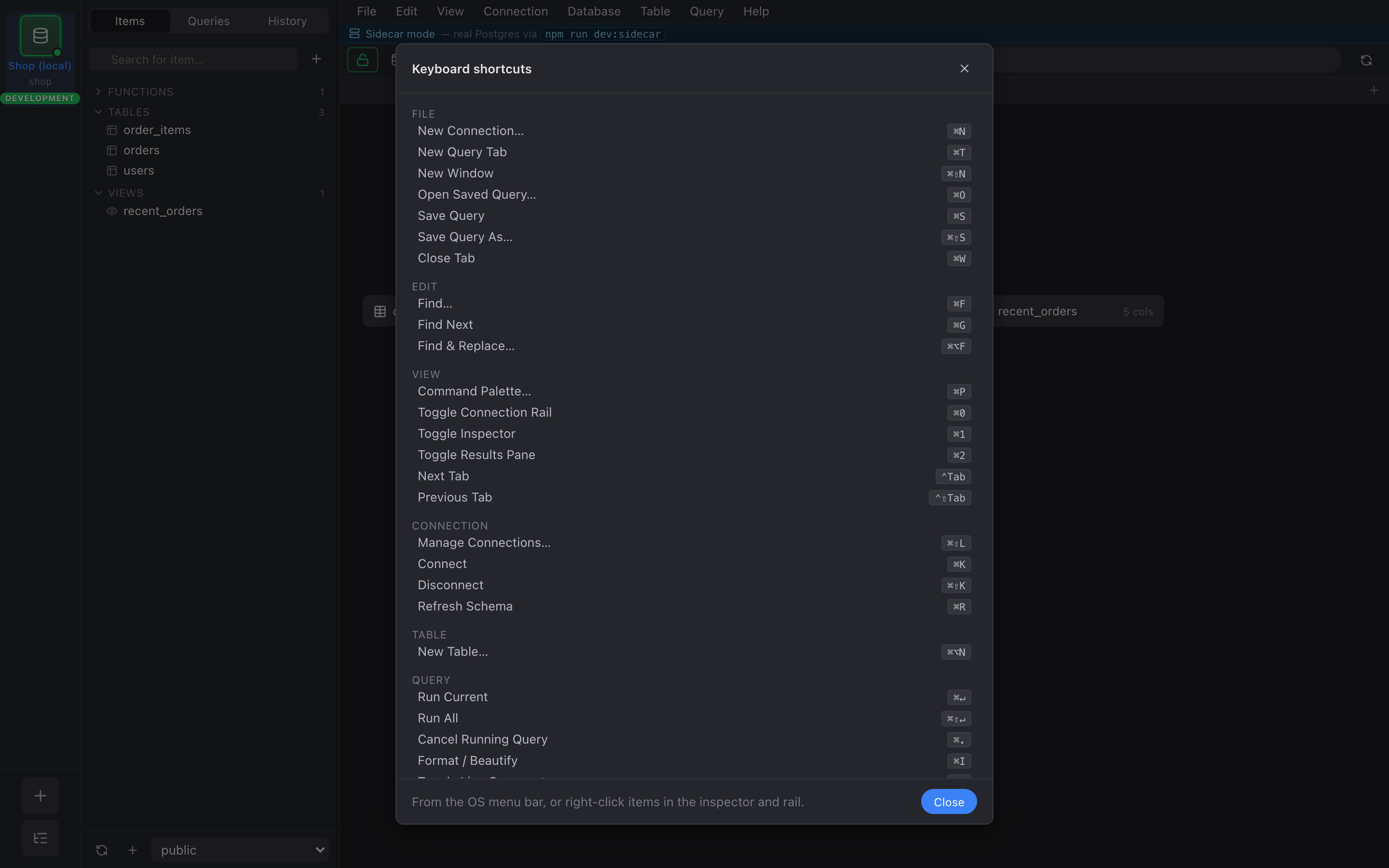
Connections
Section titled “Connections”| Shortcut | Action |
|---|---|
| ⌘N | New connection |
| ⌘K | Connect current session |
| ⌘⇧K | Disconnect current session |
| ⌘⇧L | Manage connections… |
| Shortcut | Action |
|---|---|
| ⌘T | New query tab |
| ⌘W | Close current tab |
Panels
Section titled “Panels”| Shortcut | Action |
|---|---|
| ⌘0 | Toggle session rail |
| ⌘1 | Toggle inspector |
| ⌘2 | Toggle results / output pane |
Command palette
Section titled “Command palette”| Shortcut | Action |
|---|---|
| ⌘P | Open command palette |
| ⌘⇧P | Open command palette (alias) |
Schema
Section titled “Schema”| Shortcut | Action |
|---|---|
| ⌘R | Refresh schema for current session |
Editor (query tab focused)
Section titled “Editor (query tab focused)”| Shortcut | Action |
|---|---|
| ⌘↵ | Run current statement (or selection) |
| ⌘⇧↵ | Run all statements in editor |
| ⌘. | Cancel running query |
| ⌘I | Format SQL |
| ⌘/ | Toggle line comment |
| ⌘F | Find in editor |
| Shortcut | Action |
|---|---|
| ⌘S | Save query (when editor focused) / commit pending cell edits (when grid focused) |
The ⌘S binding is context-sensitive: it routes to whichever pane has focus. Same key, two saves.