
Structure tab
Ce contenu n’est pas encore disponible dans votre langue.
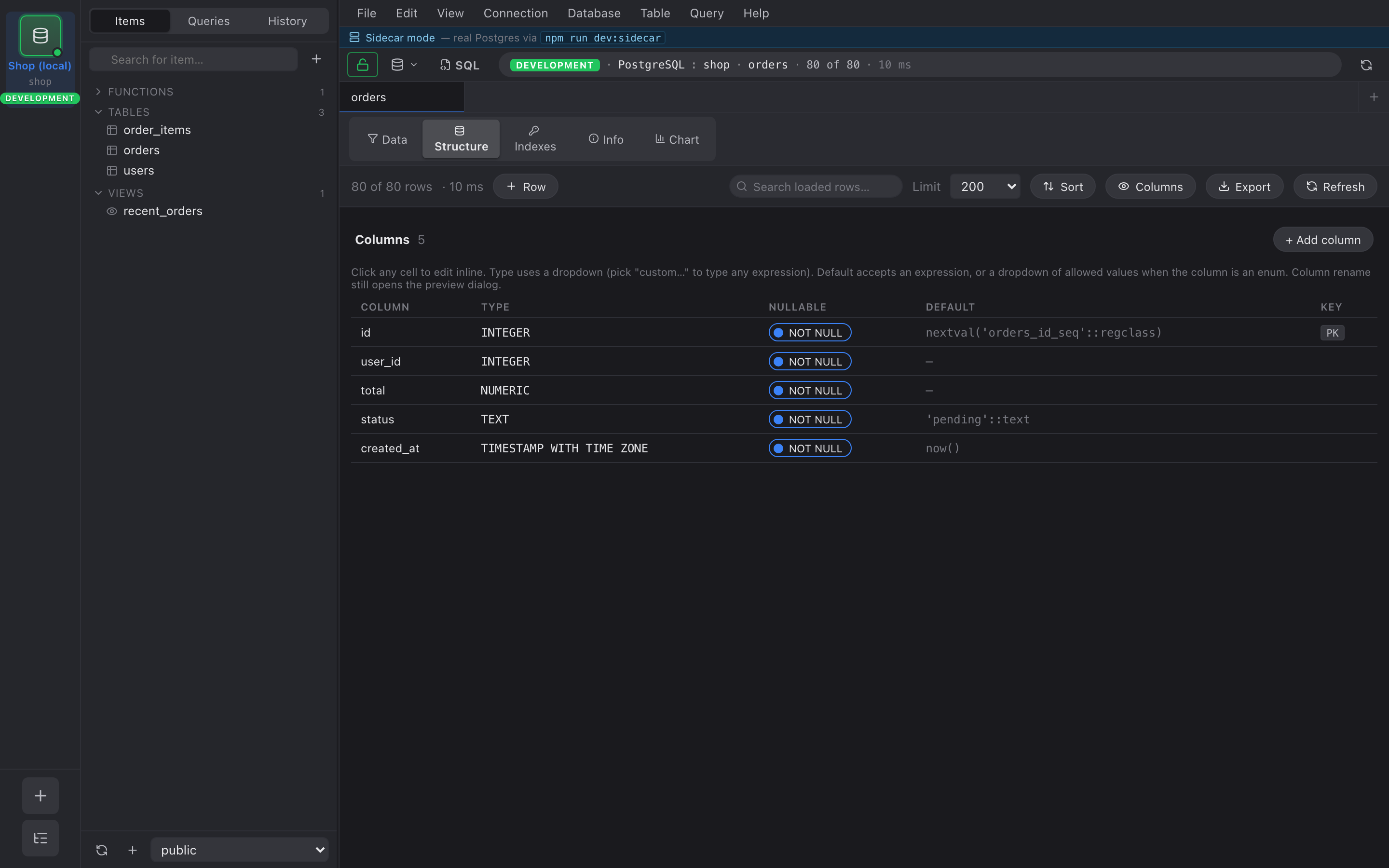
Every table_data tab has a Structure tab next to Data.
It’s the column list for the underlying table, rendered as a grid
you can edit inline.
What you can edit inline
Section titled “What you can edit inline”- Type — dropdown of
COMMON_PG_TYPES(text, varchar, int4, int8, numeric, bool, timestamptz, date, json, jsonb, uuid, …) plus a custom… option at the bottom for anything not in the list. Pickcustom…and you get a free-form input. - Default — free-form text. Whatever you type is emitted
verbatim into the
DEFAULTclause, sonow(),gen_random_uuid(),'pending'::status, and42all work. - Nullable — toggle. Flips between
SET NOT NULLandDROP NOT NULL.
If the column’s type is a Postgres enum, the Default cell becomes
a dropdown of that enum’s allowed labels instead of a free-form
input.
Renames go through SQL preview
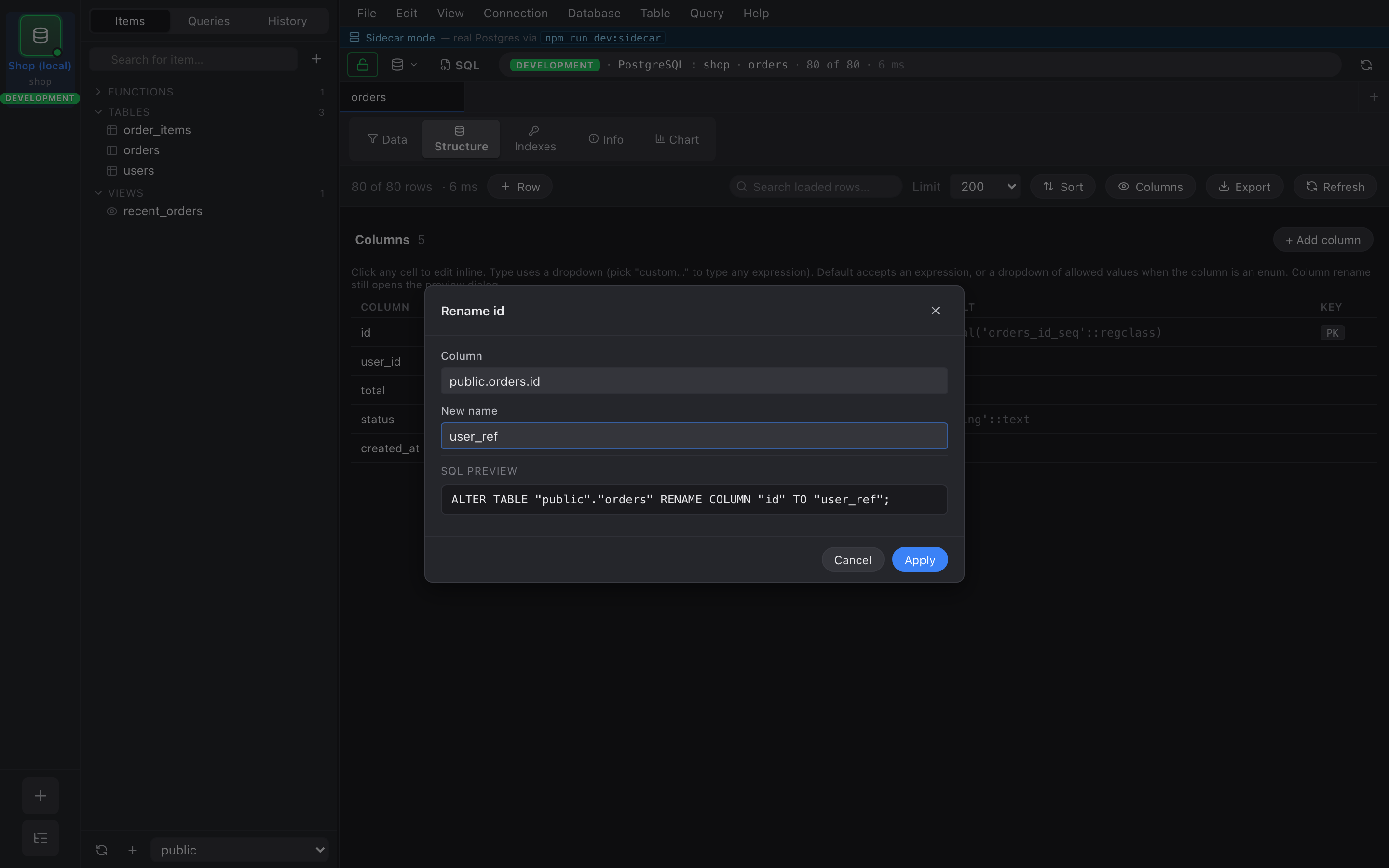
Section titled “Renames go through SQL preview”The Name cell is editable, but unlike Type/Default/Nullable, a
rename doesn’t apply inline. It opens the SQL preview dialog with
the ALTER TABLE … RENAME COLUMN ready to run. This keeps a
mistyped name from silently breaking views and FKs that reference
it.
Errors stay inline
Section titled “Errors stay inline”If Nembrix can’t apply a change — e.g. you set a column NOT NULL on a table that has nulls in it — the error appears as a red strip under the offending row. The cell stays in its edited state so you can adjust and retry. Nothing else on the page is touched.