
SQL editor
Ce contenu n’est pas encore disponible dans votre langue.
Every Query tab is a CodeMirror editor with the Postgres SQL dialect and a completion source that knows your live schema.
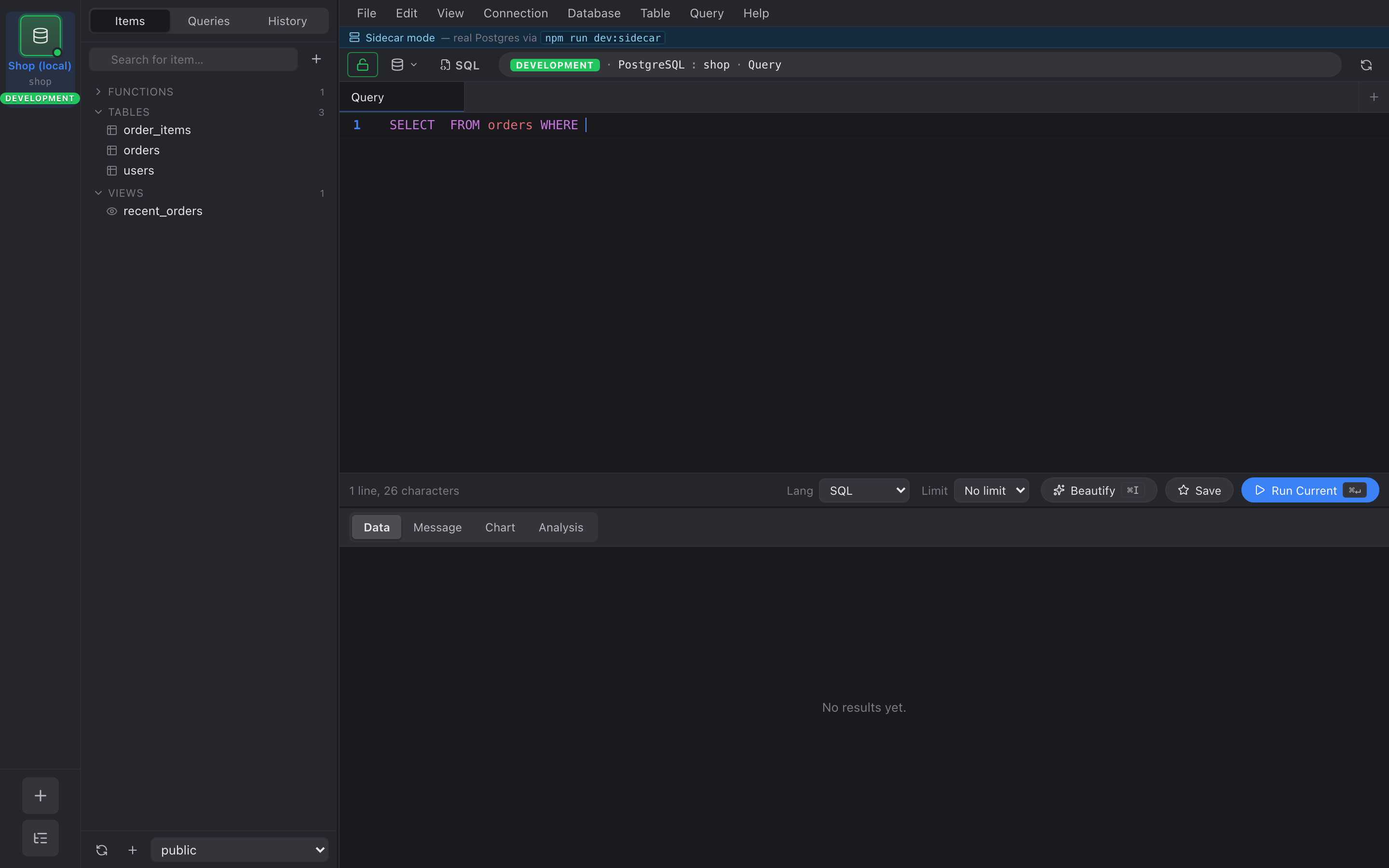
Autocomplete
Section titled “Autocomplete”Triggers on . after a table name, after FROM, after JOIN, and
inside INSERT (. The source is the schema tree the rail introspected
when you connected, so it reflects what your current session sees.
Aliases work via a tiny tokenizer over FROM … AS x in the current
statement — no full SQL parser required.
Running queries
Section titled “Running queries”- ⌘↵ — run statement at cursor (or selection if any).
- ⌘⇧↵ — run all statements.
- ⌘. — cancel the running query.
Cancel issues pg_cancel_backend(pid) on a sibling pool connection
so the cancel itself isn’t blocked by the running query.
Formatting
Section titled “Formatting”⌘I runs sqlformat-rs on the buffer with a thin Postgres
post-pass for RETURNING, DISTINCT ON, dollar-quoted bodies.
Saved queries
Section titled “Saved queries”- ⌘S — save the current buffer under a name. Saved queries appear in the inspector’s Queries view.
- ⌘O — open a saved query.
Destructive guardrails
Section titled “Destructive guardrails”Statements like DROP TABLE, TRUNCATE, or DELETE WITHOUT WHERE
fired against a production connection prompt you to type the
connection’s name before running. The prompt is bypassed for
non-production environments.