
Editing cells
Ce contenu n’est pas encore disponible dans votre langue.
Click to copy, double-click to edit
Section titled “Click to copy, double-click to edit”- Click selects a cell; standard ⌘C / Ctrl+C copies the text.
- Double-click opens an inline editor.
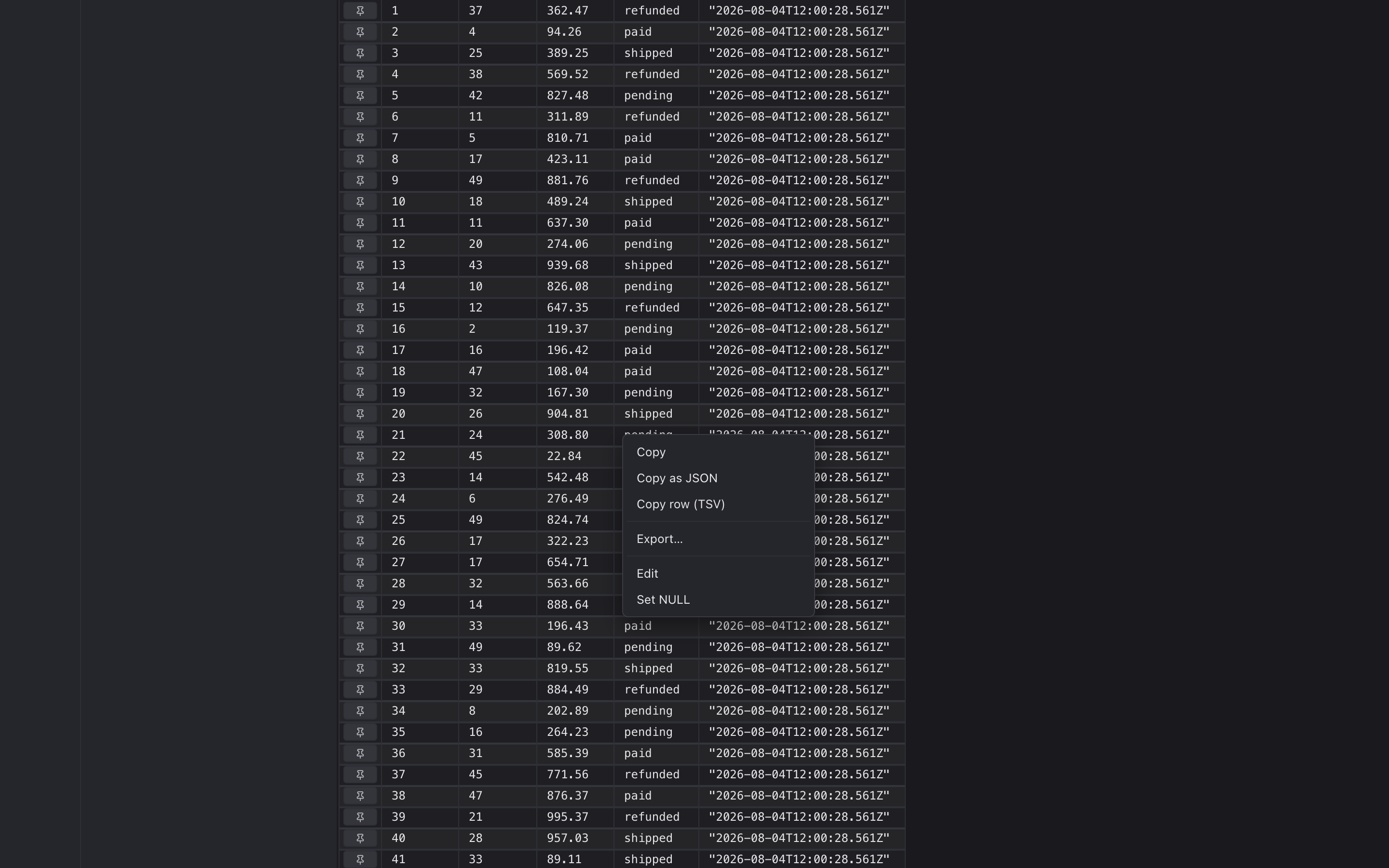
- Right-click opens a menu: Copy, Copy as JSON, Copy row (TSV), Edit, Set NULL.
Edits are pending until you save
Section titled “Edits are pending until you save”Every edit you make is staged as a pending edit — the cell turns yellow, but nothing’s written to the database yet. A banner at the top of the grid shows the count.
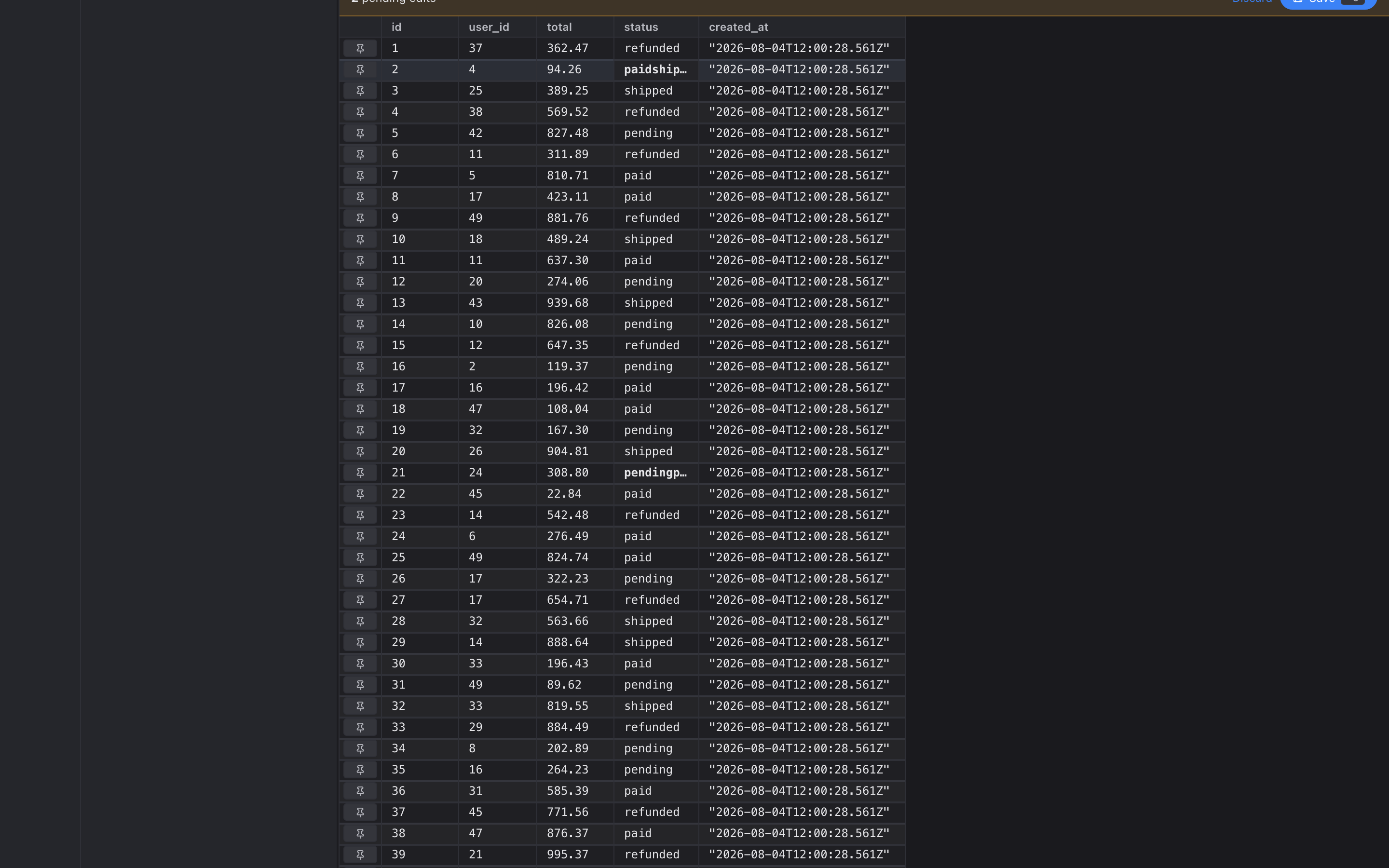
Press ⌘S to commit them. Every pending edit goes out as a single transaction:
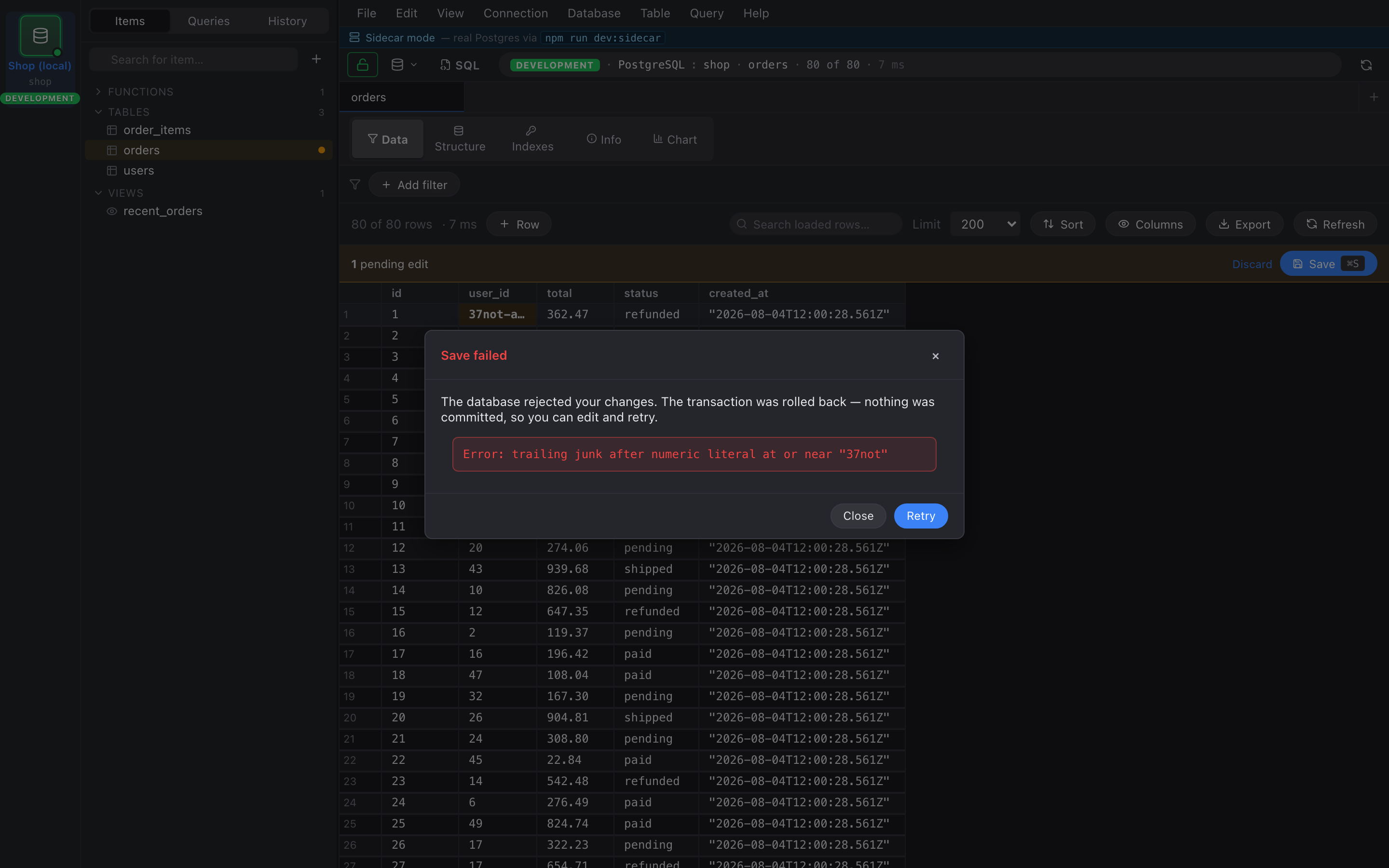
BEGIN;UPDATE "public"."users" SET "name" = 'Alice' WHERE "id" = 7;UPDATE "public"."users" SET "email" = 'a@example.com' WHERE "id" = 7;…COMMIT;If any single UPDATE fails, the whole transaction rolls back and a modal pops up with the SQL error. Your pending edits stay queued so you can fix and retry.
Edits require a primary key
Section titled “Edits require a primary key”If the underlying table doesn’t have a PK we can use, the right-click Edit and Set NULL items grey out, and double-click does nothing. This is intentional: without a PK we can’t write an UPDATE that’s guaranteed to hit exactly one row.
Discarding edits
Section titled “Discarding edits”The banner has a Discard button that drops every pending edit without writing anything. Same effect: switch the rail to a different session and back, or close the tab.